Content Ticket
Ticket Content
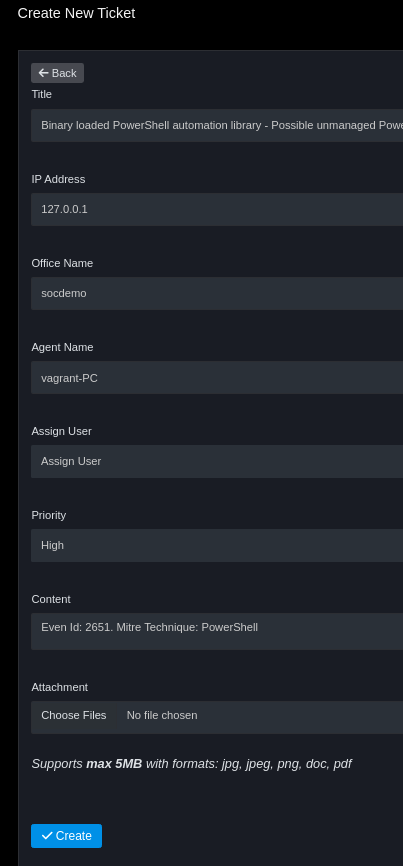
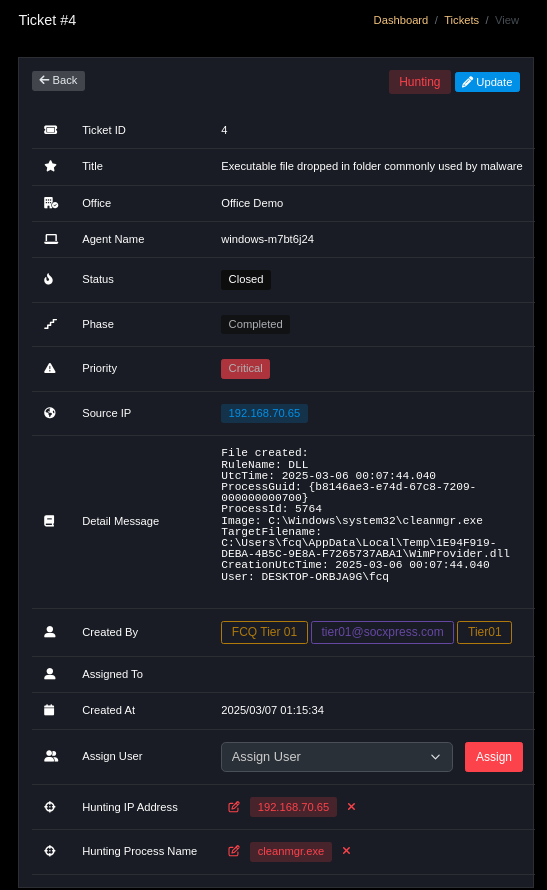
After ticket is created, access the Ticket page and click on the ticket to view. A created ticket will include many fields. Each field will be defined corresponding to the table below:
| Field | Description |
|---|---|
| Ticket ID | Auto-generated ID |
| Title | Ticket title (required) |
| Office Name | Sensor / Office Name (required) |
| Agent Name | Agent Name (required when relevant) |
| Status | Ticket status (Auto-updated based on Phase) |
| Priority | Priority |
| Phase | Handling phase (according to ISO 27035) |
| IP/Source IP | Related IP |
| Content/Detail Message | Description and evidence (required) |
| Created By | Creator (User or System if by SOAR) |
| Assign to user | Person assigned to handle |
| Attachment | Attached files (JPG/PNG/PDF/logs) |
Notes
Statususually auto-updates whenPhasechanges.- Use
Attachmentto attach evidence (sample logs, screenshots).