Hunting
Hunting
Purpose
Hunting supports SOC in searching Indicators of Compromise (IOC) across the entire system, helping to expand investigation scope from a suspected host.
Key Features
- Search by Process name, MD5/SHA1, IP, MAC, domain, command line.
- Filter by Office / Agent / Time range.
- Save hunting queries for reuse.
- Search for malware indicators across different sensors
- Help detect latent threats before they cause damage.
Usage Examples
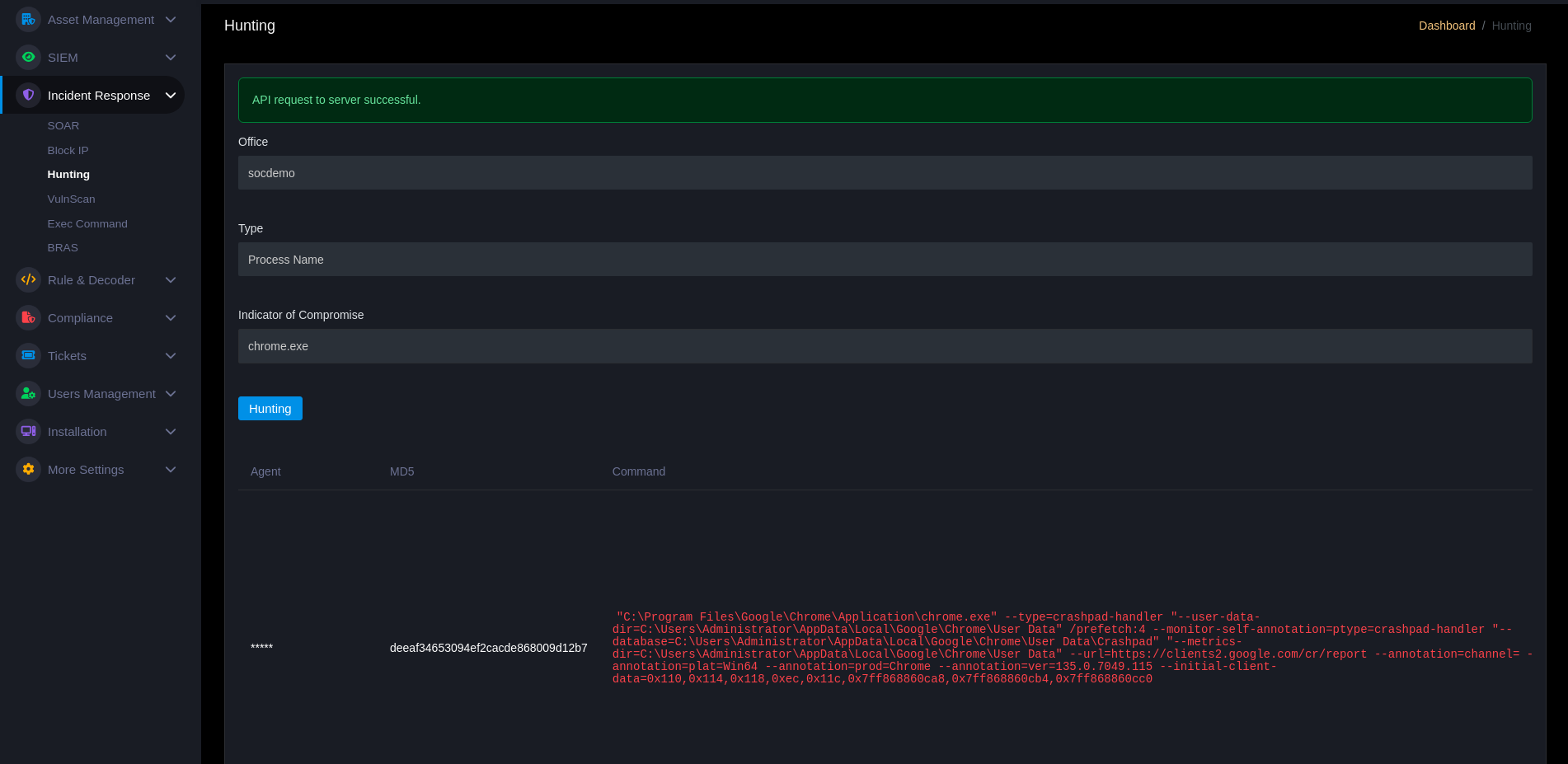
- Find process
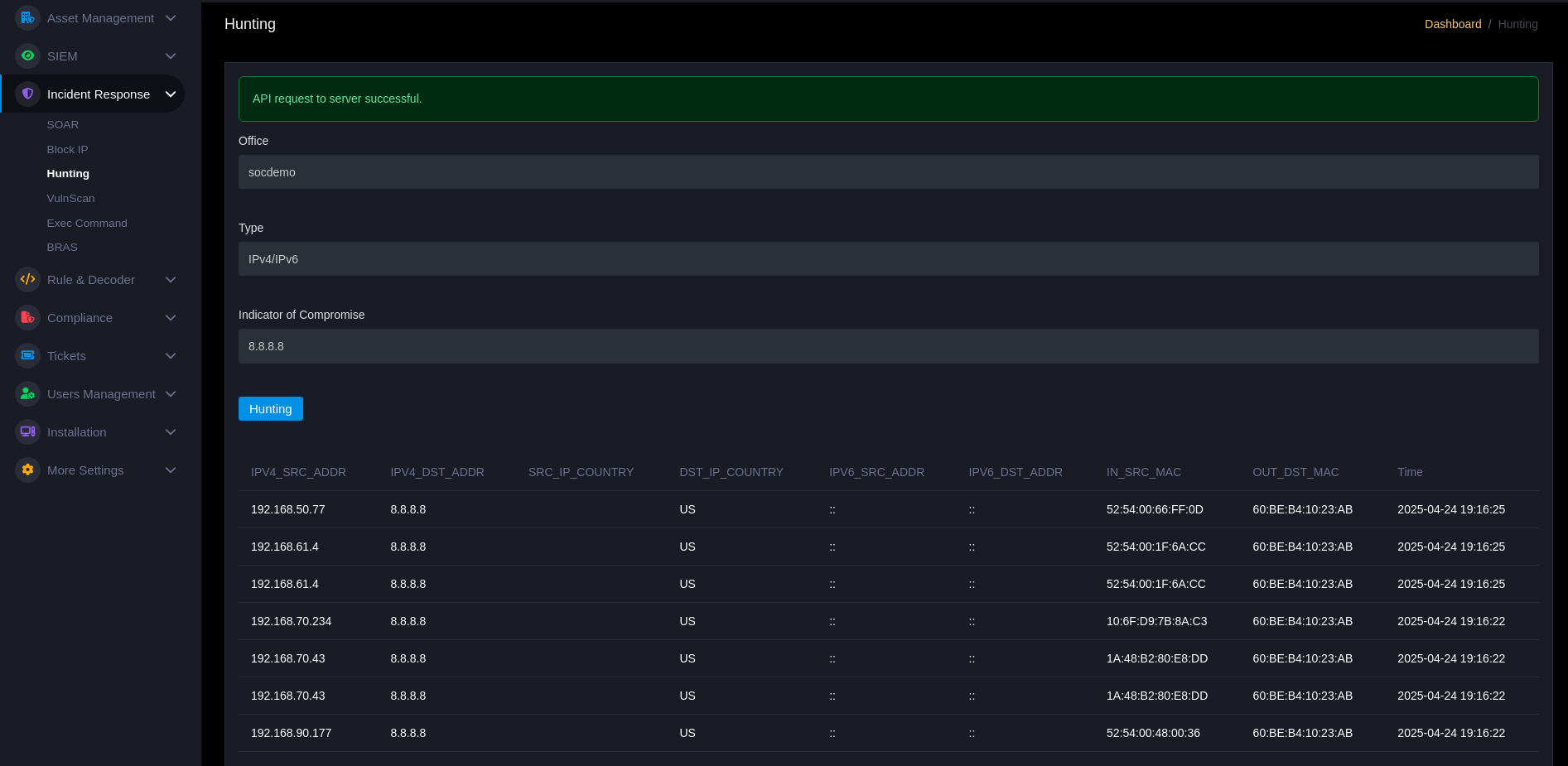
chrome.exeat an Office: select Office → fieldProcess name→ enterchrome.exe→Hunting. - Find IP: select Type =
IPv4/IPv6→ enter IP →Hunting.
Results & Actions
- Results list host/agent with IOC, timestamps, and evidence (command line, parent process, network connections).
- From results you can: create ticket, star events, start SOAR playbook, or block IP.