Tag
Tag
Adding Tags Feature
This feature allows assigning Tags to Agents for classification and management by specific characteristics (e.g., device type, operating system, deployment region, importance level, etc.). This makes searching and filtering the Agent list faster and more intuitive.
- Helps SOC Tier 1 easily classify and identify log sources based on Agent tags.
- Supports faster incident containment when alerts come from specific device groups.
- Increases monitoring and investigation efficiency, especially when the system has a large number of Agents.
- Allows prioritizing monitoring of important device groups (such as servers, sensors, critical endpoints).
How to Filter by Tag
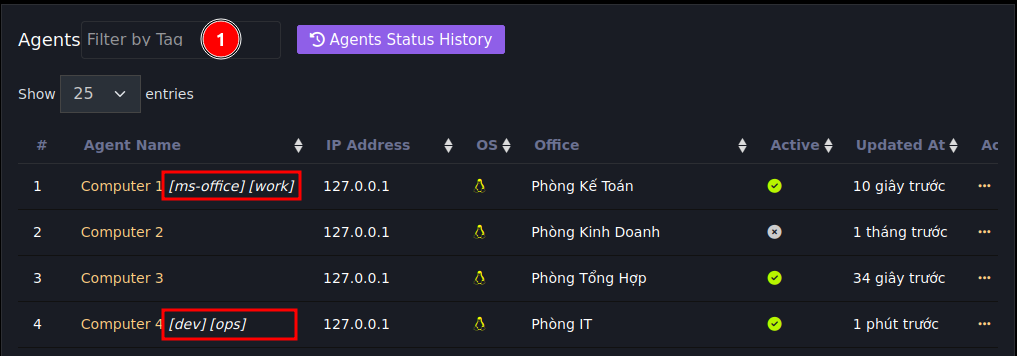
- Tag selection field to filter
- Names of tags assigned to the agent
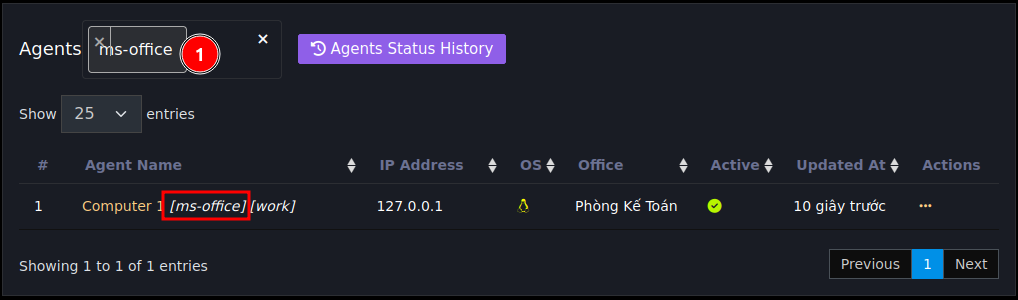
After selecting a tag, the screen will only display agents with corresponding tags as shown above
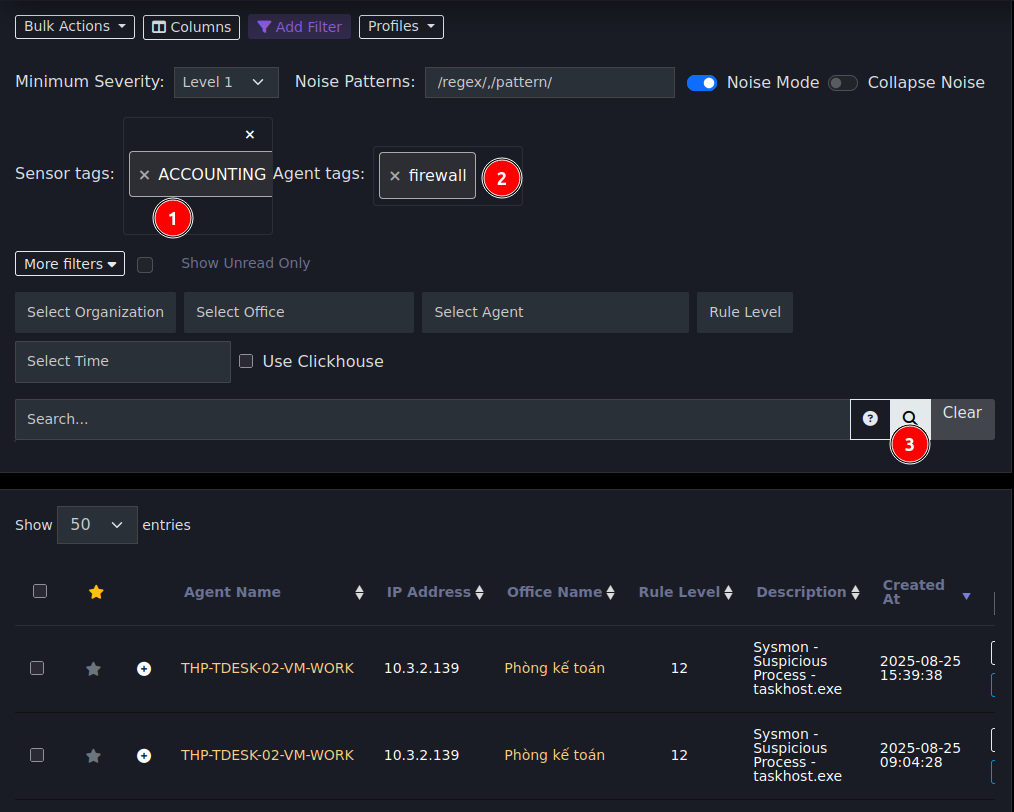
After adding tags, on the event page you can filter related keywords by tag as follows: