Smart Events
Smart Events
Purpose
Smart Events groups similar events from multiple sources to reduce noise and focus on truly important patterns instead of individual logs.
Features
- Grouping: group by
Agent,IP,Rule Level,Description, and other fields. -
Display total events, occurrence count, last recorded time.
-
Actions:
Whitelist,Open group detail,Create rule/alert. - Filters: IP, Name, Description, Rule Level, Time range.
Sunburst Chart
This chart aggregates and displays event data of Offices in a nested pie chart format, helping users quickly get an overview of the relationship between event components.
The chart structure consists of 4 concentric circles from inside to outside, displaying in order:
- Office → Agent IP → Rule Level → Rule Description
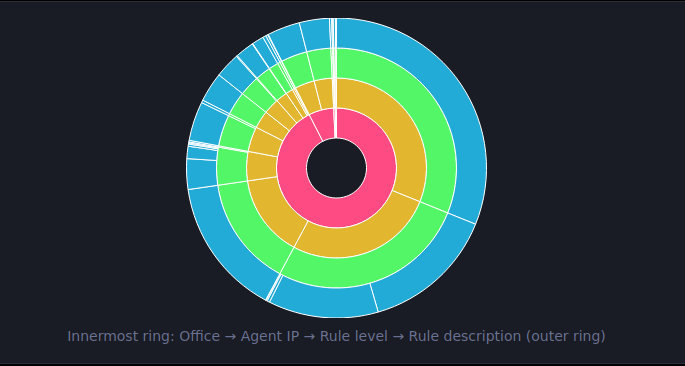
Each circle is separated by white lines, corresponding to each distinct data group.
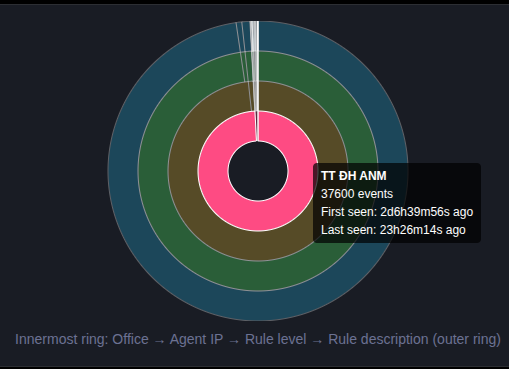
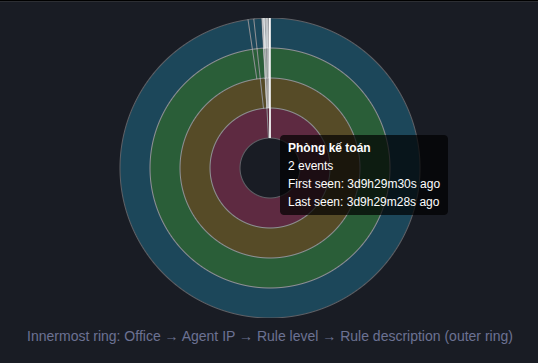
Example: Innermost circle (Office) displays total events, first and last event time of each Office.
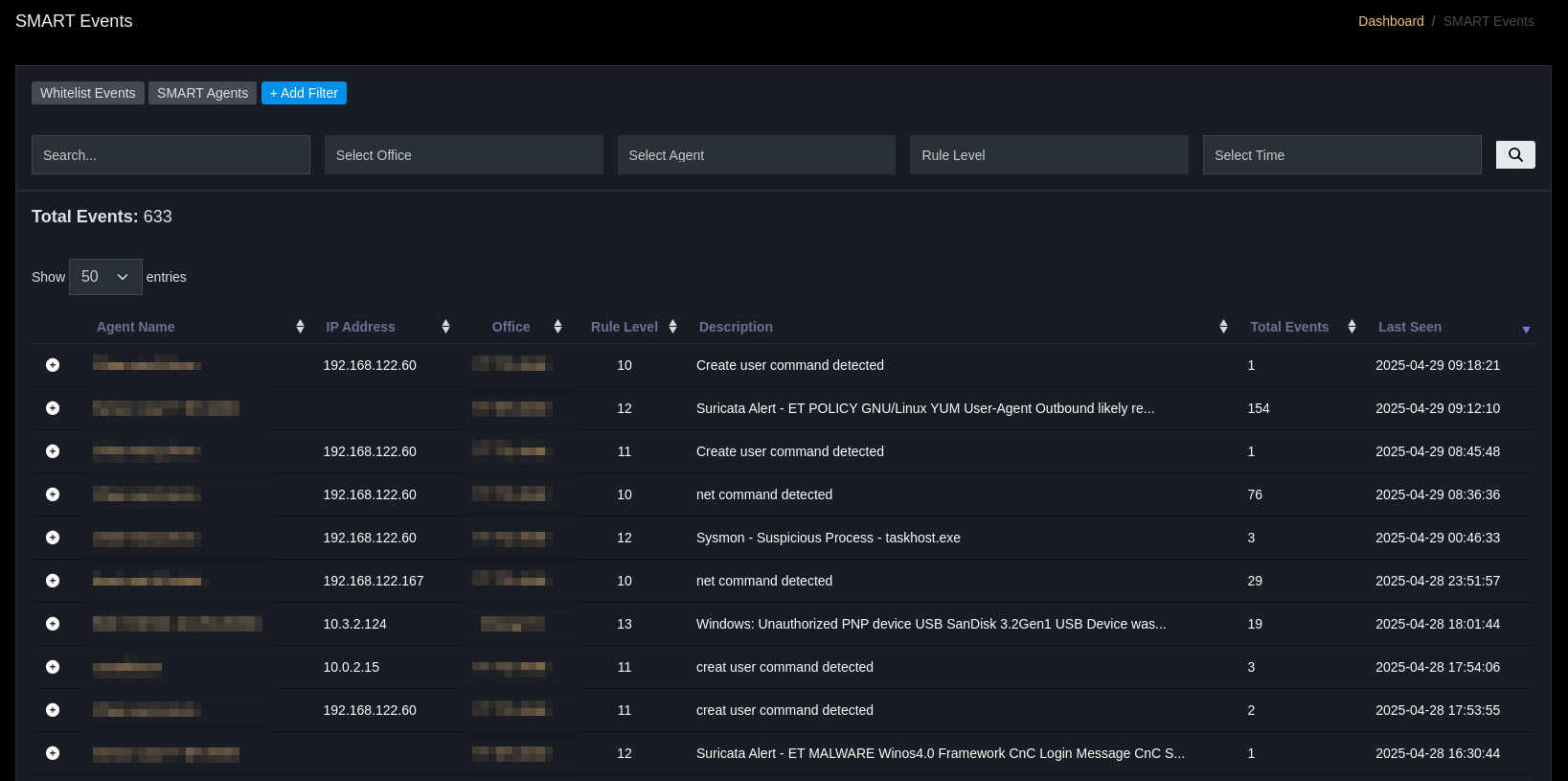
Smart Events Table
| Column | Description |
|---|---|
| Agent Name | Agent name sending event |
| IP Address | Related IP |
| Office | Office/branch |
| Rule Level | Alert level |
| Description | Short description |
| Total Events | Total grouped events |
| Last Seen | Most recent recorded time |
Top Function Bar
- Whitelist Events → Mark verified events, ignore in the future.
- SMART Agents → Manage list of agents participating in SMART Events.
- Add Filter → Add advanced filter: IP, Name, Description
Statistics Area
Total Events → Total number of events being displayed.
Business Applications
- Detect repeating patterns, reduce false-positive.
- Prioritize handling event groups with high
Total Eventsor recentLast Seen. - Apply whitelist to event groups verified as benign.