MS365 Integrate
MS365 Configuration Guide on Portal
Step 1: Access portal and follow the guide below to configure MS365 integration
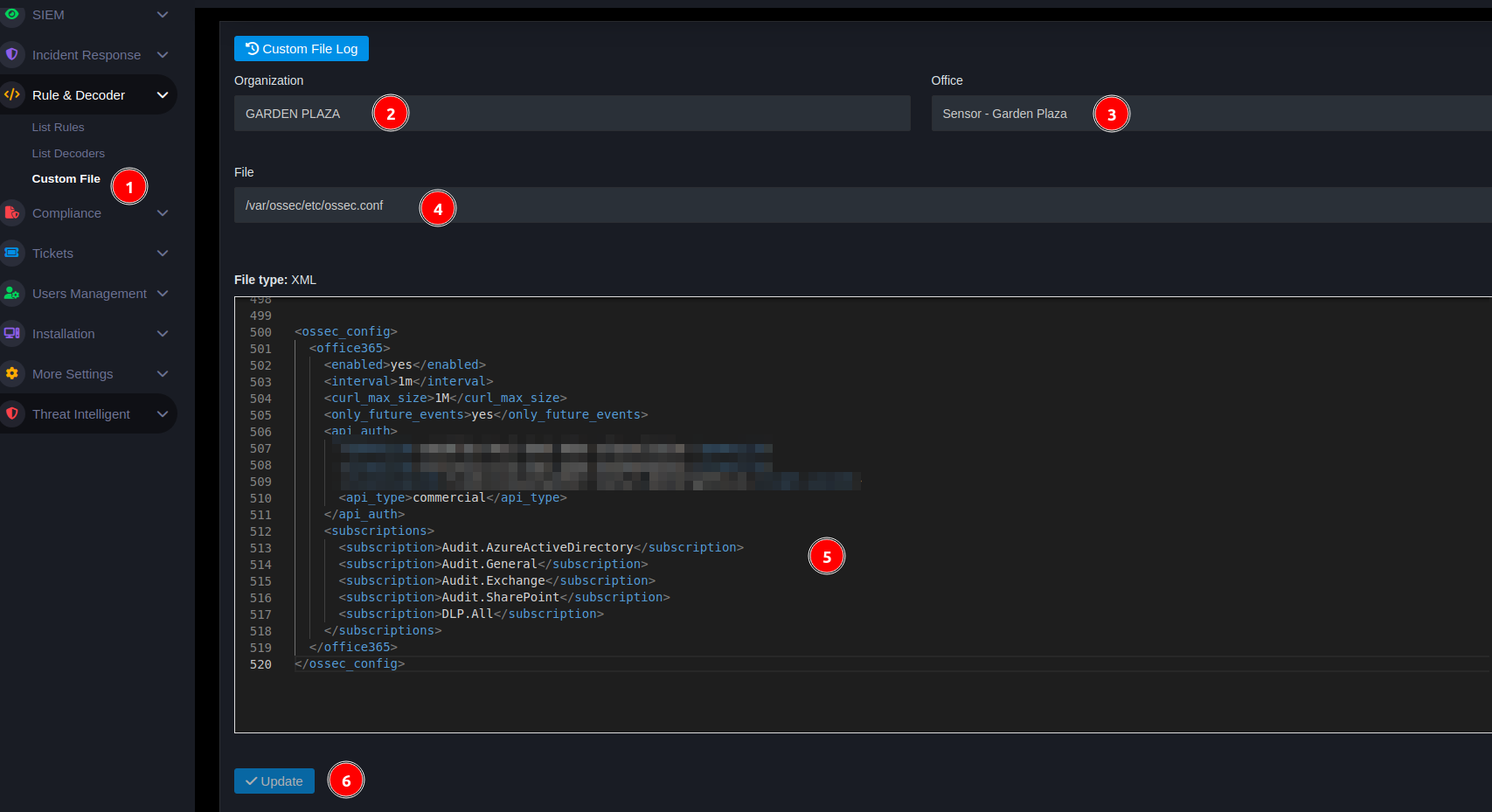
- From Menu go to Custom file
- Select corresponding Org
- Select corresponding Office
- Select ossec.conf file to configure
- Paste the code below and replace tenant_id, client_id, client_secret of the customer
- Press update
<ossec_config>
 <office365>
   <enabled>yes</enabled>
   <interval>1m</interval>
   <curl_max_size>1M</curl_max_size>
   <only_future_events>yes</only_future_events>
   <api_auth>
     <tenant_id>XXXXXXXXXXXXXXX</tenant_id>
     <client_id>XXXXXXXXXXXXXXX</client_id>
     <client_secret>XXXXXXXXXXXX</client_secret>
     <api_type>commercial</api_type>
   </api_auth>
   <subscriptions>
     <subscription>Audit.AzureActiveDirectory</subscription>
     <subscription>Audit.General</subscription>
     <subscription>Audit.Exchange</subscription>
     <subscription>Audit.SharePoint</subscription>
     <subscription>DLP.All</subscription>
   </subscriptions>
 </office365>
</ossec_config>
Step 2. Check on events
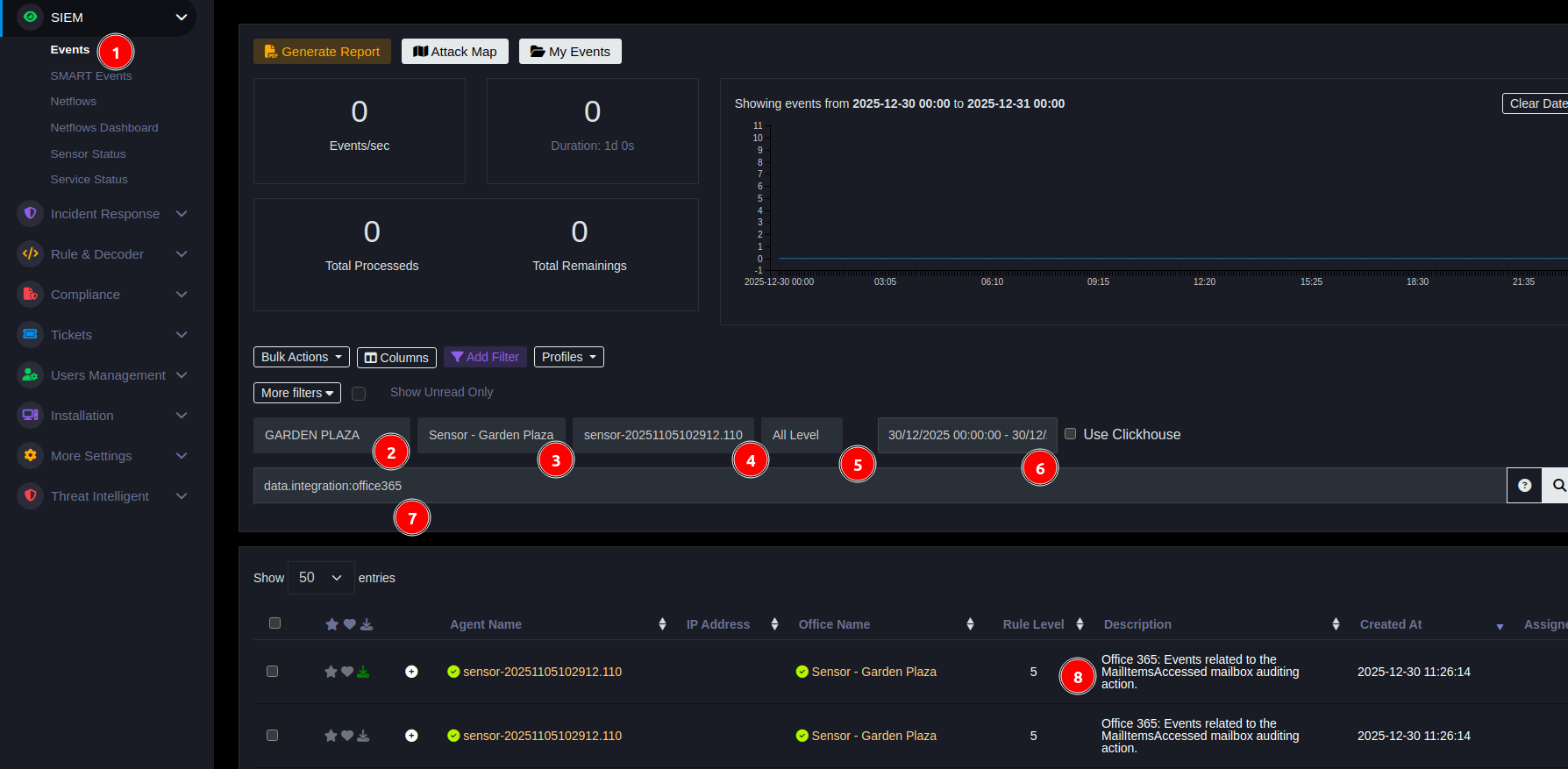
- Access Menu event
- Select ORG
- Select Sensor
- Select Agent
- Select All Level
- Select date
- Enter field "data.integration:office365" press Search to find
- Get Office 365 results
Reference
https://documentation.wazuh.com/4.7/cloud-security/office365/monitoring-office365-activity.html#configuring-wazuh-with-office-365-apis