Netflows
Netflows
Purpose
Netflows helps monitor connection traffic between hosts in real-time, useful for detecting anomalous flows, data exfiltration, port scans.
Key Features
- Live Netflow: view realtime connections for an Office.
- Filter by Office, Time range, Protocol, IP.
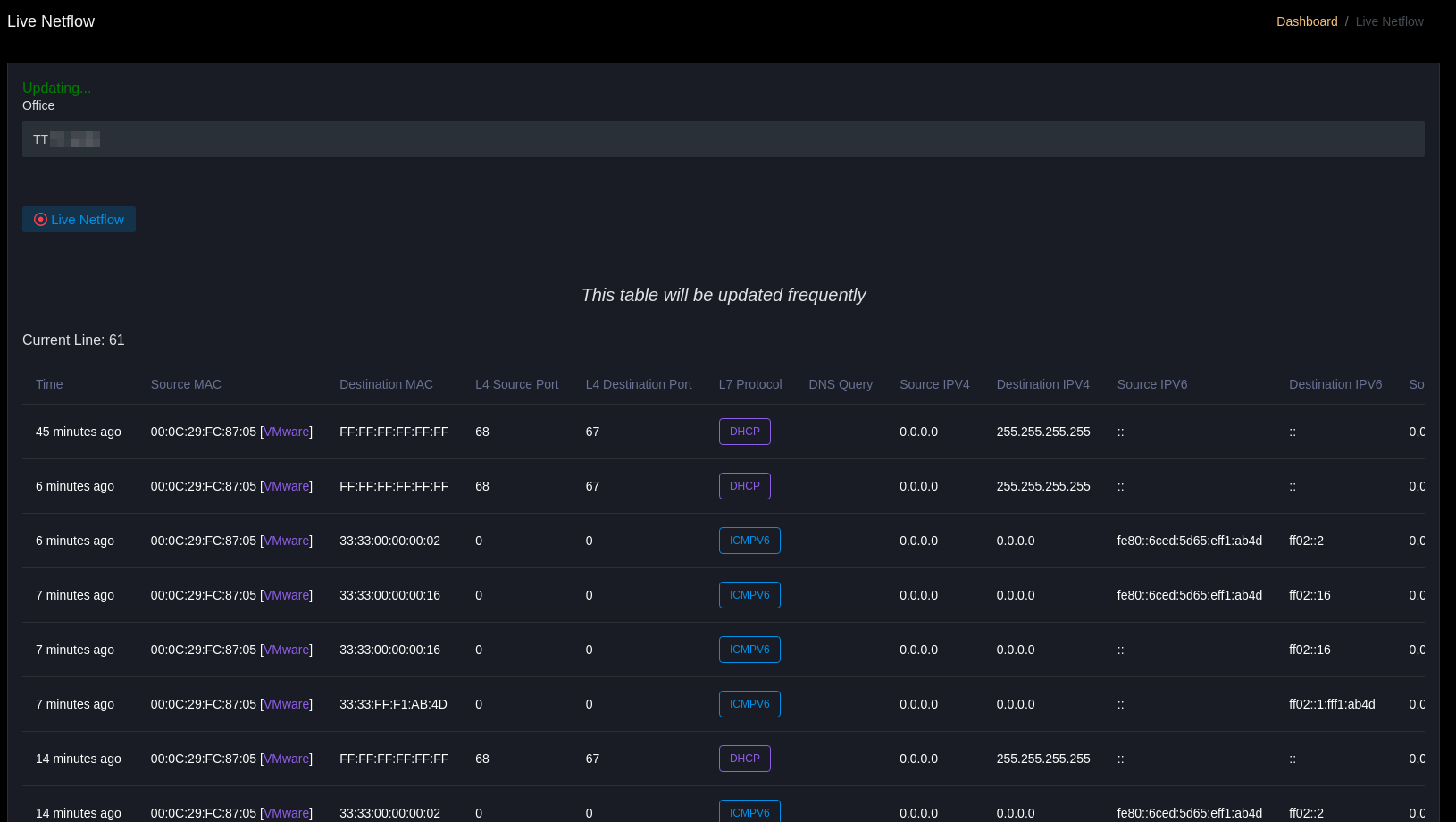
Main Data Table
| Column | Description |
|---|---|
| Time | Time when packet or flow was recorded (e.g.: 4 minutes ago) |
| Source MAC | MAC address of source device |
| Destination MAC | MAC address of destination device |
| L4 Source Port | Layer 4 (transport layer) port from source side |
| L4 Destination Port | Layer 4 (transport layer) port from destination side |
| L7 Protocol | Layer 7 (application layer) protocol, if identifiable |
| DNS Query | DNS query (if any), helps identify destination domain |
| Source IPv4 | IPv4 address of source device |
| Destination IPv4 | IPv4 address of destination device |
| Source IPv6 | IPv6 address of source device (if any) |
| Destination IPv6 | IPv6 address of destination device (if any) |
| Source IP Location | Geographic location (country, city, organization) of source IP |
| Destination IP Location | Geographic location of destination IP (example: US - California, Google LLC) |
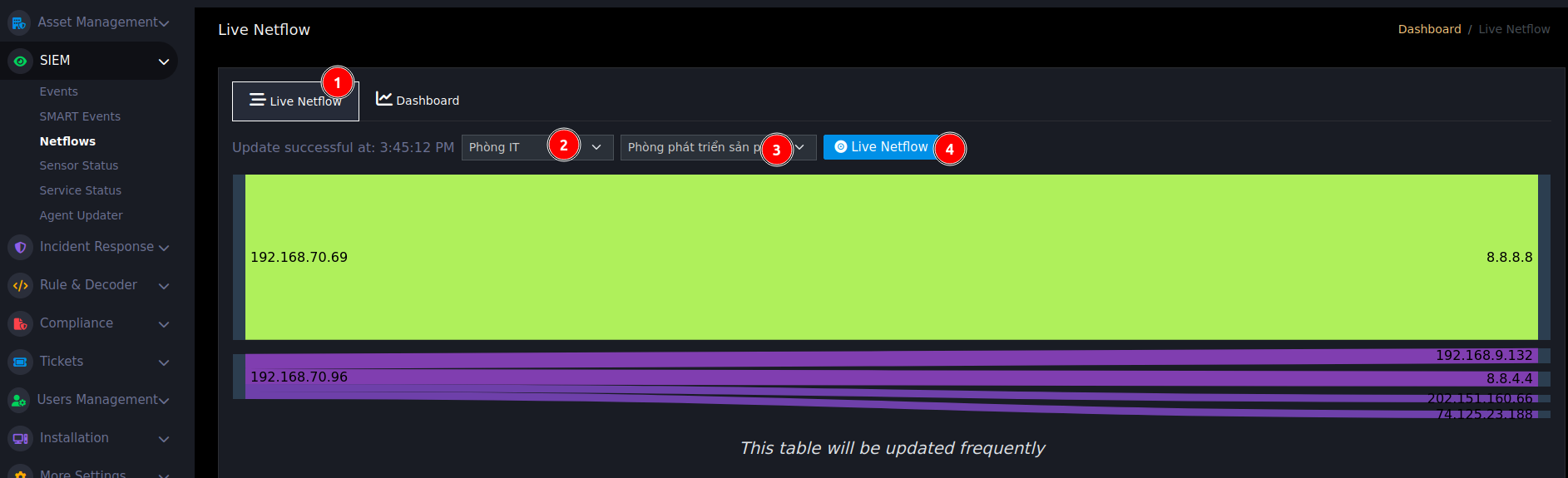
Sankey Chart
This chart displays network flow of an Office per minute, updated periodically every 1 minute.
In the chart, left side is source IP, right side is destination IP, and the thickness (or height) of the flow indicates the number of connections — thicker flow means more connections.
- Helps visually observe network communication flow between IPs in the Office.
- Supports detecting traffic anomalies, such as sudden connection spikes or abnormal IP communications.
- Provides an overall view of realtime network activity, helping Tier 1 early detection of suspicious behaviors.
- Enhances ability to analyze and contain network incidents from the first monitoring level.
Usage
- Table will auto-update continuously (realtime), helping immediate monitoring.
- Can filter by branch to view network traffic at specific locations.
- Observing DNS Query helps detect anomalies (e.g.: strange queries, DGA queries, botnet connections).
- Can compare MAC, IP, port, protocol to check abnormal connections.
Business Use
- Detect suspicious or DGA DNS queries.
- Detect anomalous flows (sudden spikes, large transfers).
- Compare with SIEM alerts to contain incidents.