Block IP
Block IP
Purpose
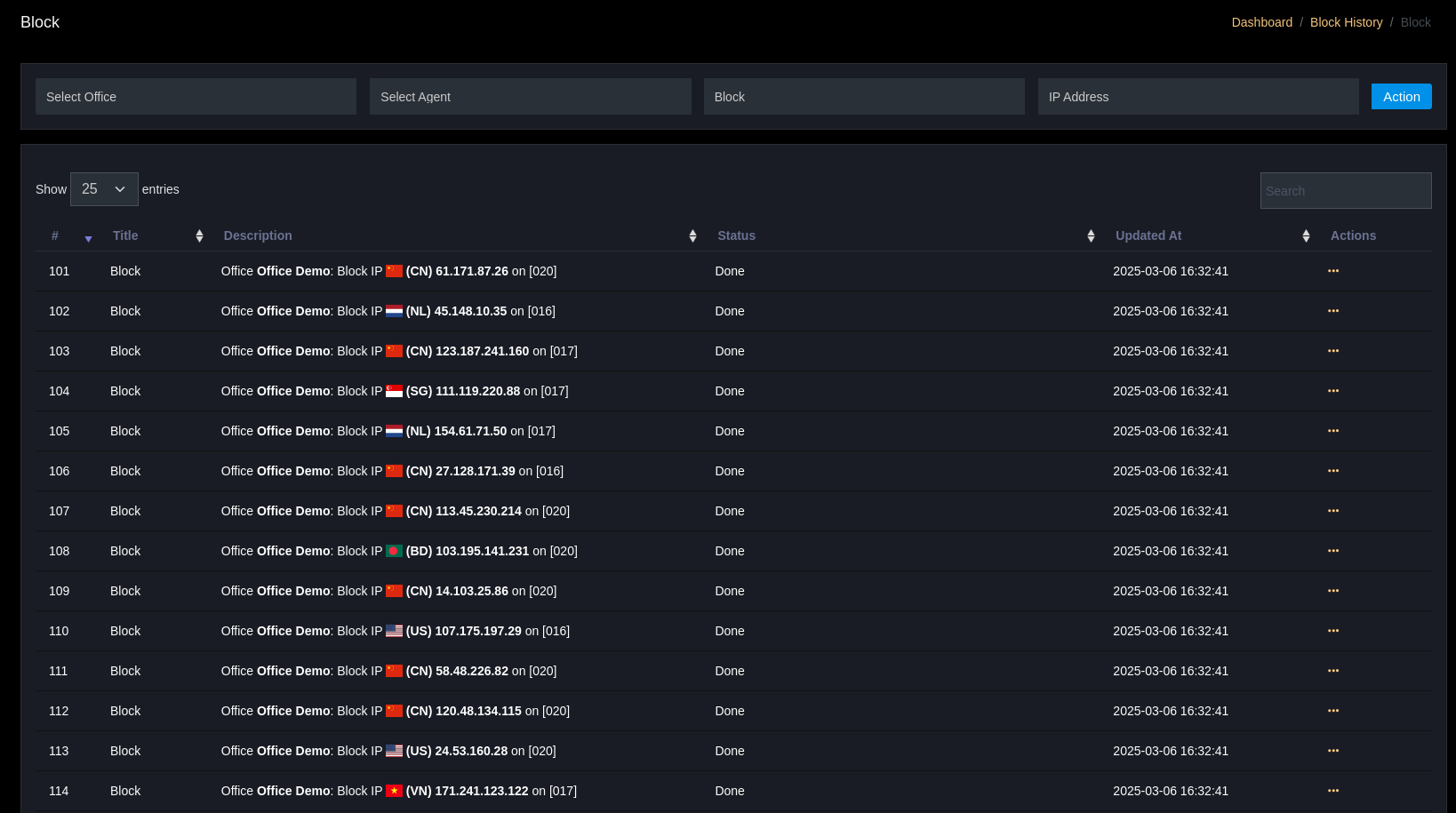
The Block IP page allows SOC to block malicious or suspicious IP addresses, integrated with firewall/WAF/IDS when available.
Key Features
- List of blocked / unblocked IPs with metadata (office, agent, reason, created_by, expires).
- Actions:
Block,Unblock,View,Delete. - Can integrate with firewall, WAF, or IDS/IPS systems.
How to Use
- Select
Officeand (optionally)Agent. - Enter
IP Addressor paste from event. - Select
BlockorUnblockand record the reason.

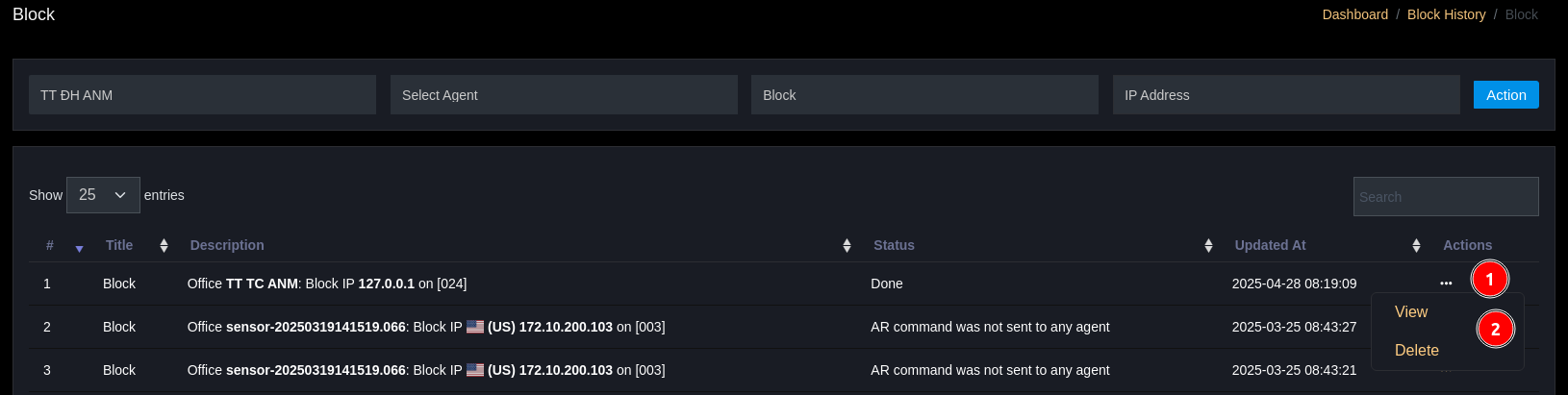
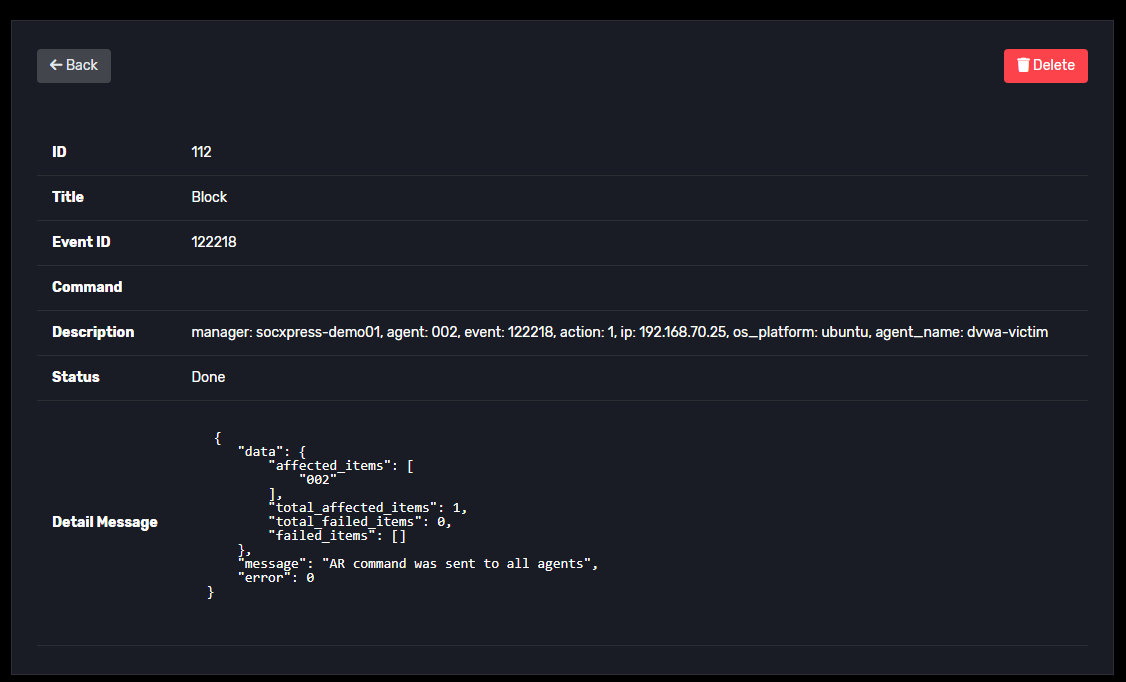
If you need to view details of an action, click on Actions → View. If you want to delete, select Actions → Delete.
Notes
- Before mass blocking, check for impact on the system (false-positive).
- Use SOAR to automate blocking according to tested policies.