Events
Events
Purpose
The Events page is the log analysis and alert handling center — where SOC can find, filter, investigate, and act on security events.
Key Features
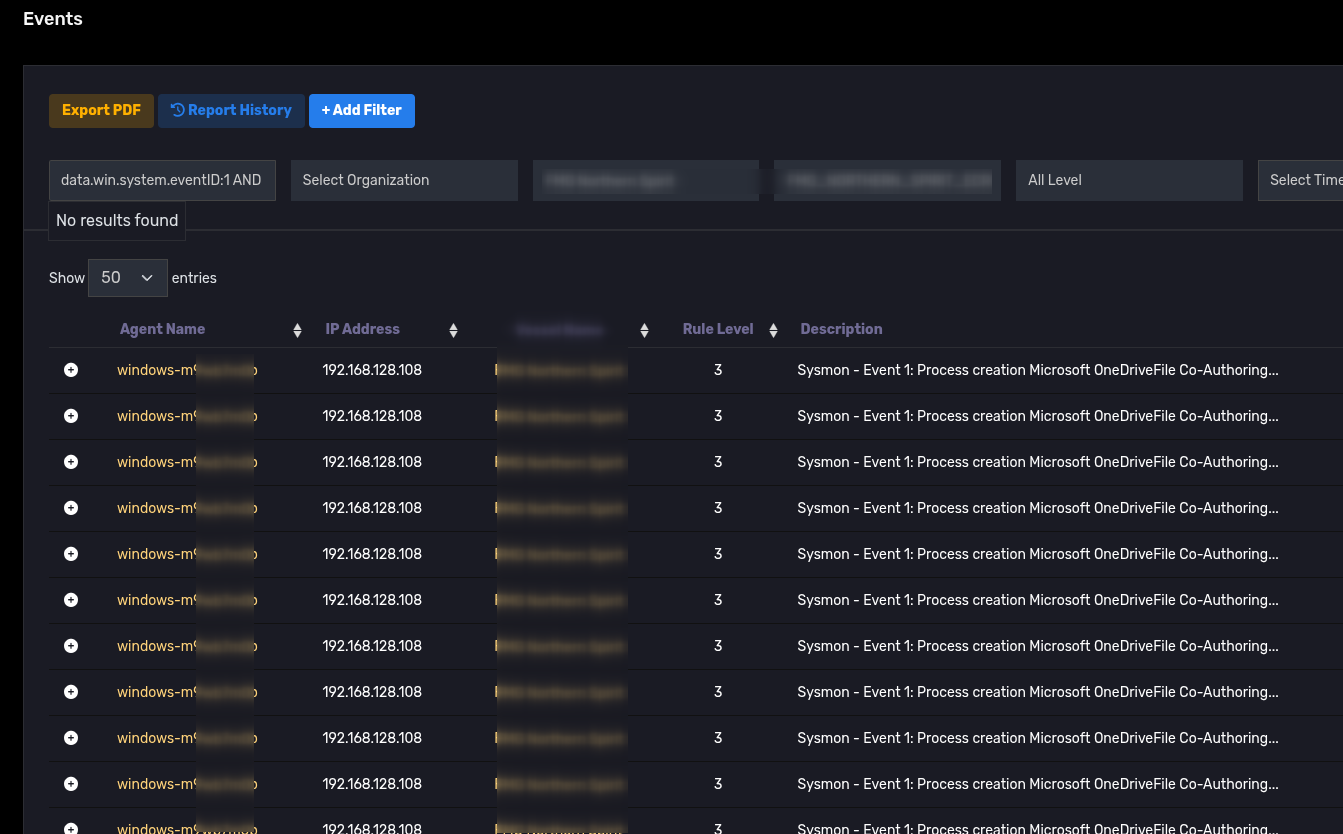
- Event list with corresponding columns (time, agent, source IP, rule level, description).
- Flexible filters: Organization, Office, Agent, Rule Level, Time range, Tags, Saved Profiles.
- Quick actions:
Assign,Star,Like,Mark as Read,Create Ticket,Block IP. - Export (PDF/CSV) and save filter configurations (Profiles).
- By default, when entering this section the system only displays Events with Rule level 10 and above
Search and Filter
- Search by keyword (Agent name, IP, filename, process, etc.).
- Filter by Tag (sensor tag / agent tag) to narrow scope.
- Noise Mode: apply
Noise Patternsto eliminate repetitive/unimportant logs.

Interacting with Events
- Star / Like: save important events to My Events.
- Assign to me: assign event to handler.
- Mark as Read / Show Unread Only: manage processing status.
- Select Columns: show/hide columns in table.
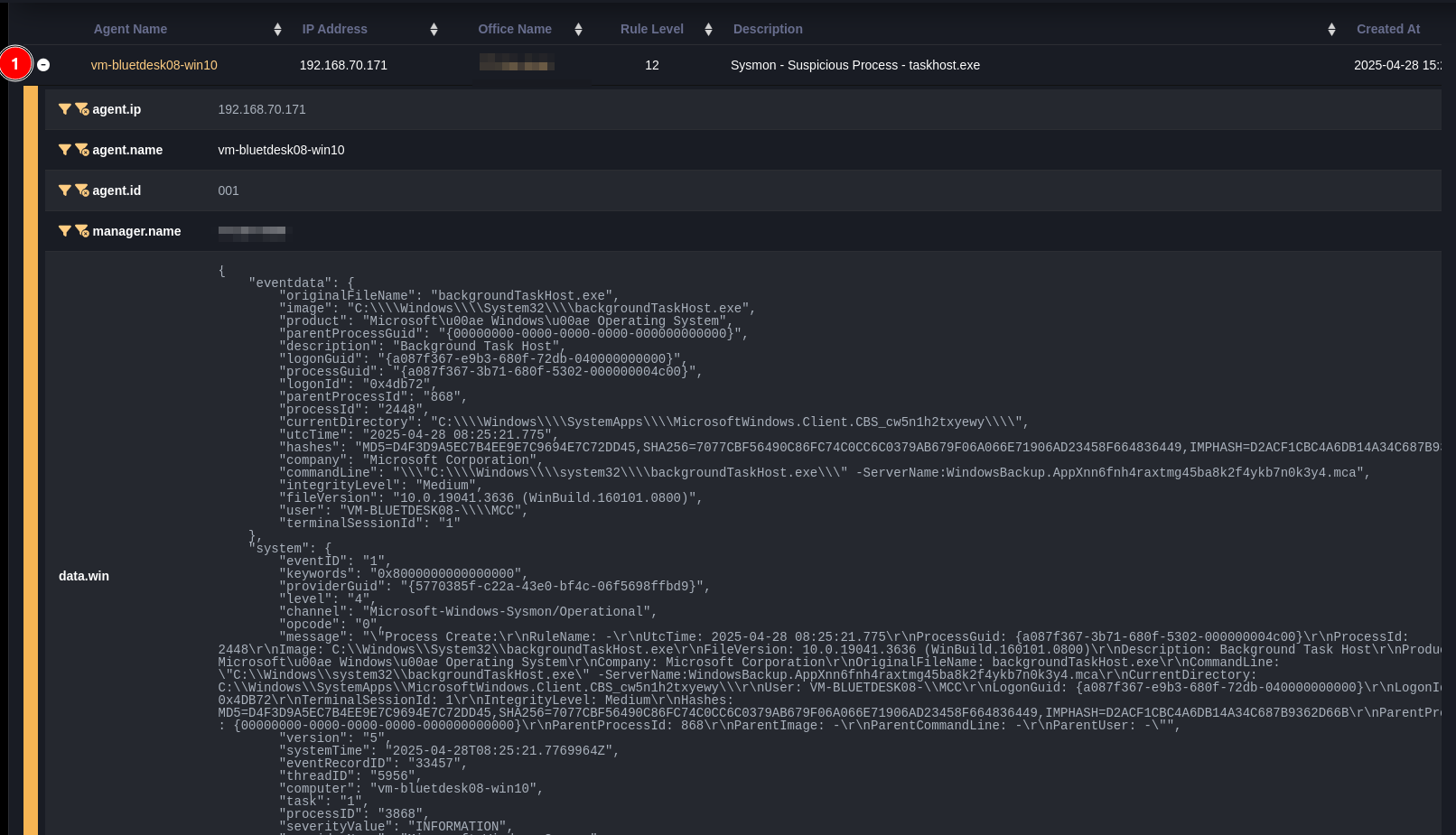
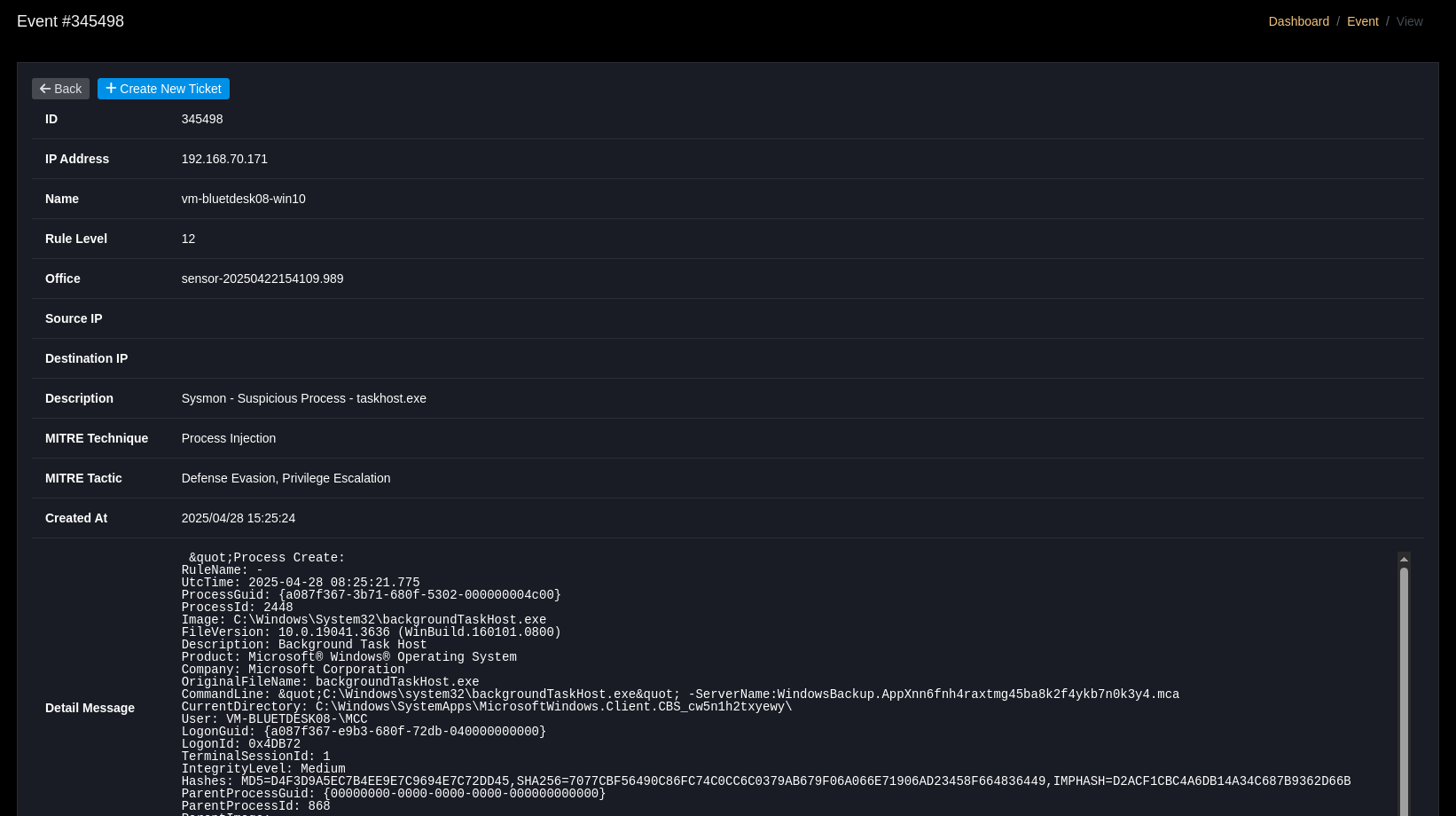
Event Detail
- First read: time when event was first opened.
- Block IP: navigate to Block IP screen with fields pre-filled.
- Create new ticket: open ticket creation form with pre-filled information from event.
- AI Assistant: suggest analysis and processing steps for Tier 1.
- Notes & Comments: add notes, comments to coordinate handling.

Monitoring Metrics
- Events/sec: realtime chart showing log generation rate.
- Timeline chart: chart of event count over time period (zoom/selection supported).
- Total events in time range: show aggregated counts (default: 7 days).
Save Profiles
- Save commonly used filter configurations (Organization / Office / Agent / Time / Rule level) for quick reuse.
DQL (Advanced Query)
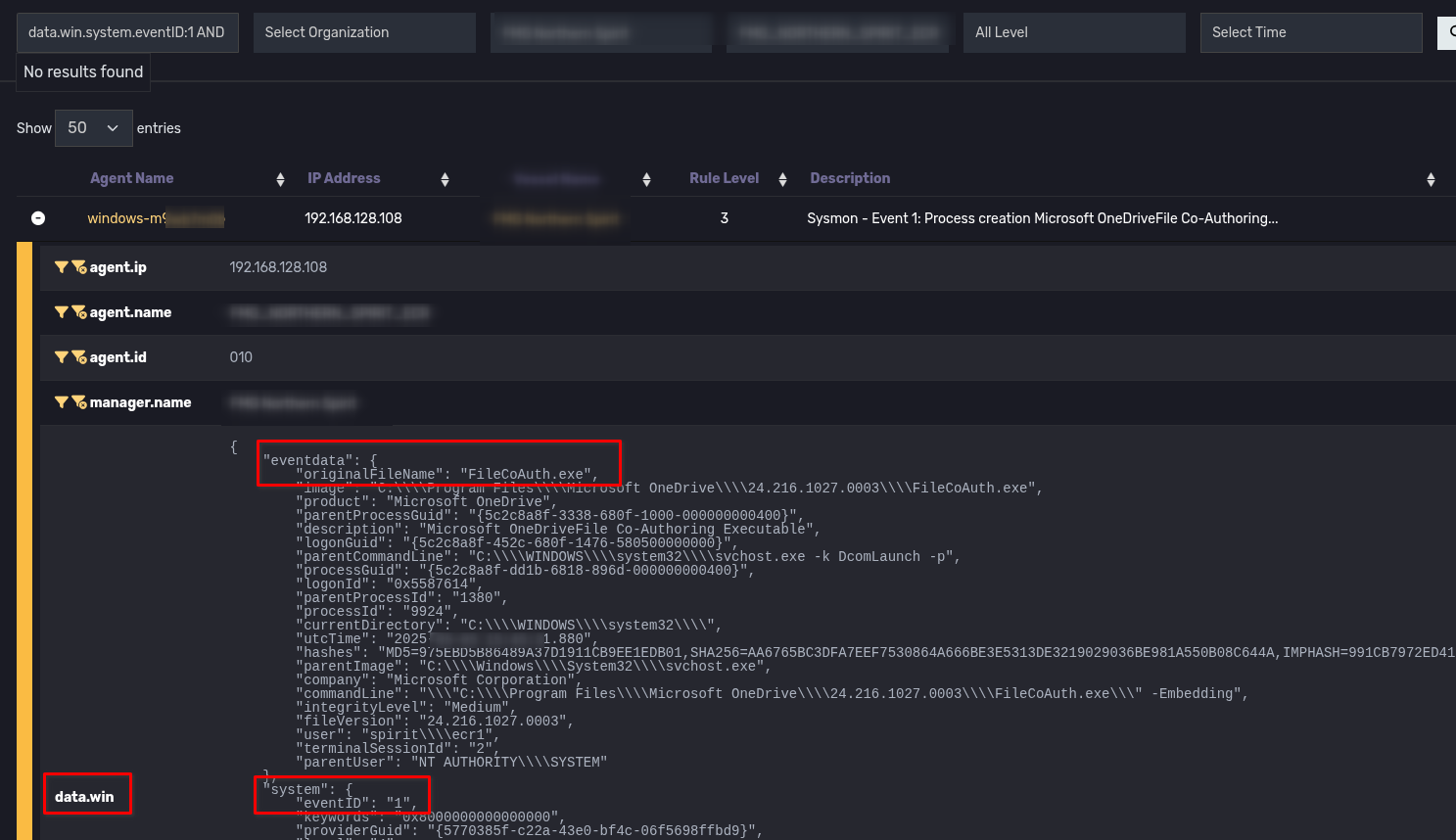
DQL Query helps analyze detailed fields in logs. The query below is an example to retrieve events belonging to Sysmon Event 1 with filename FileCoAuth.exe (note: need to select log All Level)
data.win.system.eventID:1 AND data.win.eventdata.originalFileName:FileCoAuth.exe
Tip: enable All Level when needing to scan across all rule levels.